Retinova Eye Care Centre Eye Hospital Logo
Eye Care Tips for IT Professionals: Protecting Your Vision in the Digital Age

Eye Care Tips for IT Professionals: Protecting Your Vision in the Digital Age

In today's technology-driven world, IT professionals spend a significant portion of their day in front of computer screens. Whether it's coding, software development, data analysis, system administration, cybersecurity, or project management, prolonged screen exposure has become an unavoidable part of modern work life.

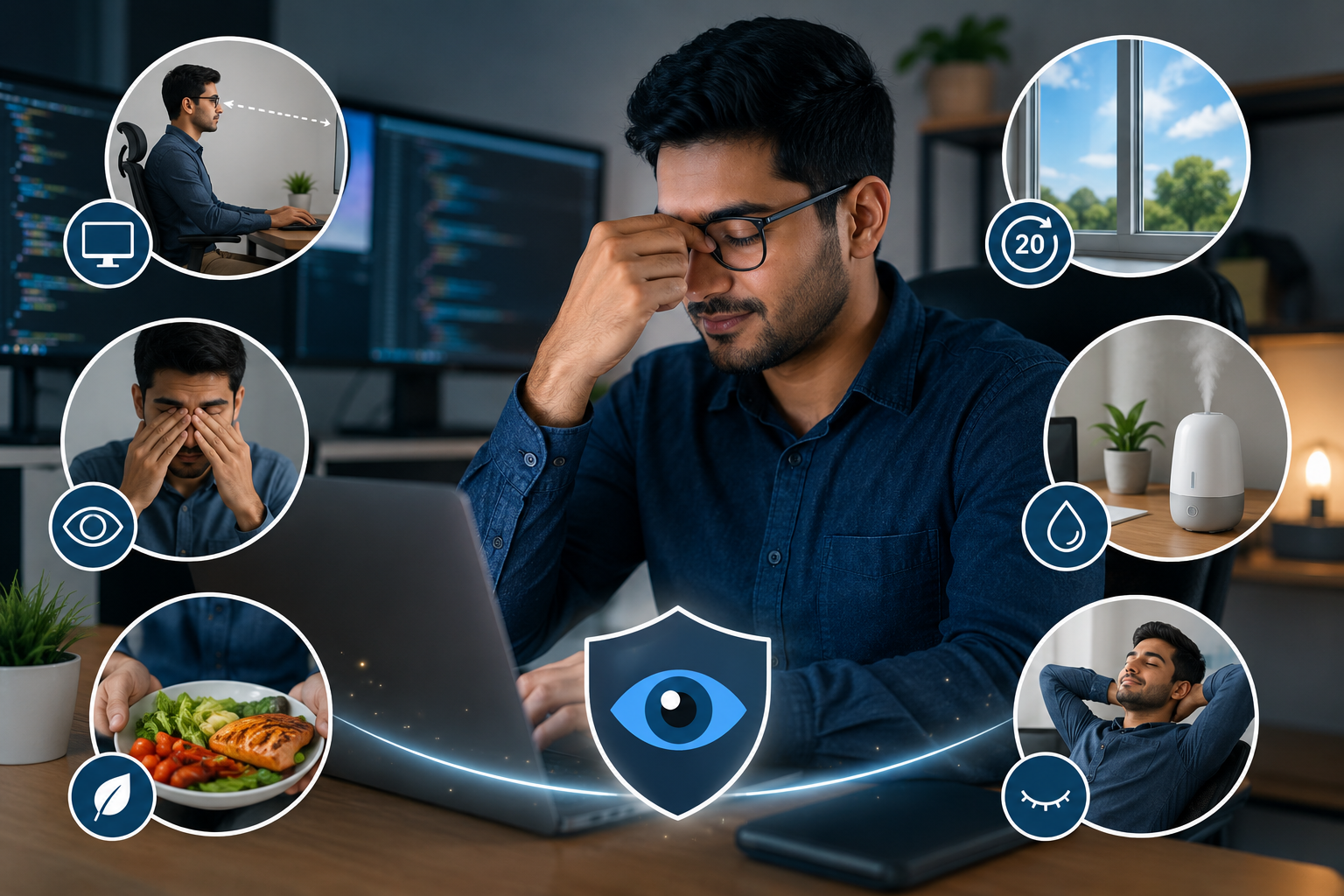
While technology helps improve productivity, excessive screen time can place considerable strain on the eyes. Many IT professionals experience symptoms such as dry eyes, headaches, blurred vision, and eye fatigue, collectively known as Digital Eye Strain or Computer Vision Syndrome.

Fortunately, simple lifestyle changes and proper eye care habits can help protect your vision and improve comfort during long working hours.

Why IT Professionals Are at Higher Risk of Eye Strain

Unlike many other professions, IT employees often spend 8 to 12 hours daily looking at digital screens.
Common workplace activities include:

● Coding and programming
● Software testing
● Network monitoring
● Virtual meetings
● Documentation work
● Data analysis

Continuous focus on screens causes the eye muscles to work harder, increasing visual stress and discomfort.

What Is Digital Eye Strain?

Digital Eye Strain, also known as Computer Vision Syndrome, refers to a group of eye and vision-related problems caused by prolonged use of digital devices.

Common Symptoms Include:

● Dry eyes
● Blurred vision
● Headaches
● Burning sensation
● Eye fatigue
● Neck pain
● Shoulder discomfort
● Difficulty focusing

Symptoms often worsen as screen time increases throughout the day.

How Screens Affect Your Eyes

When working on computers, people tend to blink less frequently.

Normally, humans blink approximately:

● 15–20 times per minute

During screen use:

● Blinking may decrease by nearly half

Reduced blinking can lead to:

● Tear evaporation
● Eye dryness
● Irritation
● Visual discomfort

Additionally, constant focusing on screens puts strain on the eye muscles responsible for maintaining clear vision.

1. Follow the 20-20-20 Rule
One of the simplest and most effective ways to reduce eye strain is the 20-20-20 rule.

How It Works

Every 20 minutes:

● Look away from your screen
● Focus on an object at least 20 feet away
● For 20 seconds

This helps relax the eye muscles and reduce focusing fatigue.

2. Maintain Proper Screen Distance

Screen positioning plays a crucial role in visual comfort.

Recommended Distance

● Keep the monitor approximately 20–28 inches away from your eyes
● Position the screen slightly below eye level

Proper screen placement reduces strain on both the eyes and neck.

3. Adjust Screen Brightness and Contrast

Excessively bright or dim screens can increase eye fatigue.

Tips

● Match screen brightness to room lighting
● Increase text size if needed
● Adjust contrast for comfortable viewing

Proper settings help reduce visual stress throughout the workday.

4. Blink More Frequently

Many IT professionals unknowingly stare at screens without blinking regularly.

Conscious blinking helps:

● Maintain tear film stability
● Prevent dry eyes
● Improve comfort

A simple reminder to blink more often can make a significant difference.

5. Stay Hydrated

Dehydration can contribute to dry eye symptoms.

Healthy Habits

● Drink sufficient water throughout the day
● Limit excessive caffeine consumption
● Maintain overall hydration

Proper hydration supports tear production and eye comfort.

6. Use Artificial Tears if Needed

For individuals experiencing persistent dryness, lubricating eye drops may help.

Benefits include:

● Moisturizing the eyes
● Reducing irritation
● Improving comfort during extended screen use

Consult an eye specialist before using any eye drops regularly.

7. Optimize Workplace Lighting

Poor lighting conditions often contribute to eye strain.

Best Practices

● Avoid glare from windows
● Use adequate ambient lighting
● Position monitors to minimize reflections
● Consider anti-glare screen filters

Comfortable lighting creates a healthier visual environment.

8. Take Regular Breaks

Many professionals work continuously for hours without leaving their desks.

Every Hour

Consider:

● Standing up
● Stretching
● Walking briefly
● Looking away from screens

Short breaks benefit both eye health and overall well-being.

9. Consider Computer Glasses

Some individuals benefit from specially prescribed computer glasses.

These lenses can:

● Improve screen focus
● Reduce visual fatigue
● Enhance workplace comfort

An eye examination can determine whether computer glasses are appropriate for your needs.

10. Prioritize Regular Eye Examinations

Routine eye examinations remain one of the most important preventive measures for IT professionals.

Regular check-ups help:

● Detect vision changes early
● Update prescriptions
● Monitor eye health
● Identify underlying eye conditions

Even minor vision problems can become more noticeable during prolonged screen use.

Blue Light and Digital Screens

Many people worry about blue light emitted from computers and smartphones.

Current evidence suggests:

● Blue light from screens is significantly lower than sunlight exposure
● Digital eye strain is more commonly linked to prolonged screen use rather than blue light itself

However, reducing screen exposure before bedtime may help improve sleep quality.

Nutrition Tips for Healthy Eyes

A balanced diet supports long-term eye health.

Include Foods Rich In:
● Vitamin A
● Vitamin C
● Vitamin E
● Omega-3 fatty acids
● Lutein
● Zeaxanthin

Examples include:

● Leafy green vegetables
● Fish
● Eggs
● Citrus fruits
● Nuts and seeds

Proper nutrition complements healthy workplace habits.

Warning Signs You Should Not Ignore

Schedule an eye examination if you experience:

● Persistent headaches
● Frequent blurred vision
● Difficulty focusing
● Double vision
● Eye pain
● Increased sensitivity to light
● Severe dry eyes

These symptoms may indicate underlying vision problems that require professional evaluation.

Creating an Eye-Friendly Workspace


Ergonomic Recommendations

● Position screens at arm's length
● Use adjustable chairs
● Maintain proper posture
● Reduce glare
● Use adequate lighting

A well-designed workstation can significantly improve comfort and productivity.

Frequently Asked Questions

Can working on a computer damage eyesight permanently?

Computer use does not typically cause permanent vision loss, but prolonged screen exposure can lead to digital eye strain and discomfort.

How many hours of screen time are considered safe?

There is no fixed limit, but regular breaks and proper screen habits are essential for minimizing eye strain.

Are blue light glasses necessary for IT professionals?

Some individuals find them helpful for comfort, but proper screen habits are generally more important.

How often should IT professionals get their eyes checked?

Most adults should have an eye examination every one to two years, although more frequent visits may be recommended based on symptoms and risk factors.

What is the best way to reduce eye strain?

Following the 20-20-20 rule, maintaining proper screen distance, and taking regular breaks are among the most effective strategies.

Key Takeaways

● IT professionals are at increased risk of digital eye strain.
● Reduced blinking and prolonged screen use contribute to eye discomfort.
● Following the 20-20-20 rule can significantly reduce visual fatigue.
● Proper workstation setup supports eye health.
● Regular eye examinations help detect problems early.
● Healthy lifestyle habits and nutrition support long-term vision.

Conclusion

Technology is an essential part of modern work, but prolonged screen exposure can place considerable stress on the eyes. By adopting simple eye care habits, maintaining an ergonomic workspace, and scheduling regular eye examinations, IT professionals can protect their vision and work more comfortably.

Taking proactive steps today can help preserve healthy eyesight for years to come.

Eye Care for Professionals at Retinova Eye Care Centre

At Retinova Eye Care Centre, Hyderabad, our experienced eye specialists provide comprehensive eye examinations, digital eye strain assessments, and personalized vision care solutions for professionals who spend long hours on computers. Protect your vision with expert eye care tailored to today's digital lifestyle.